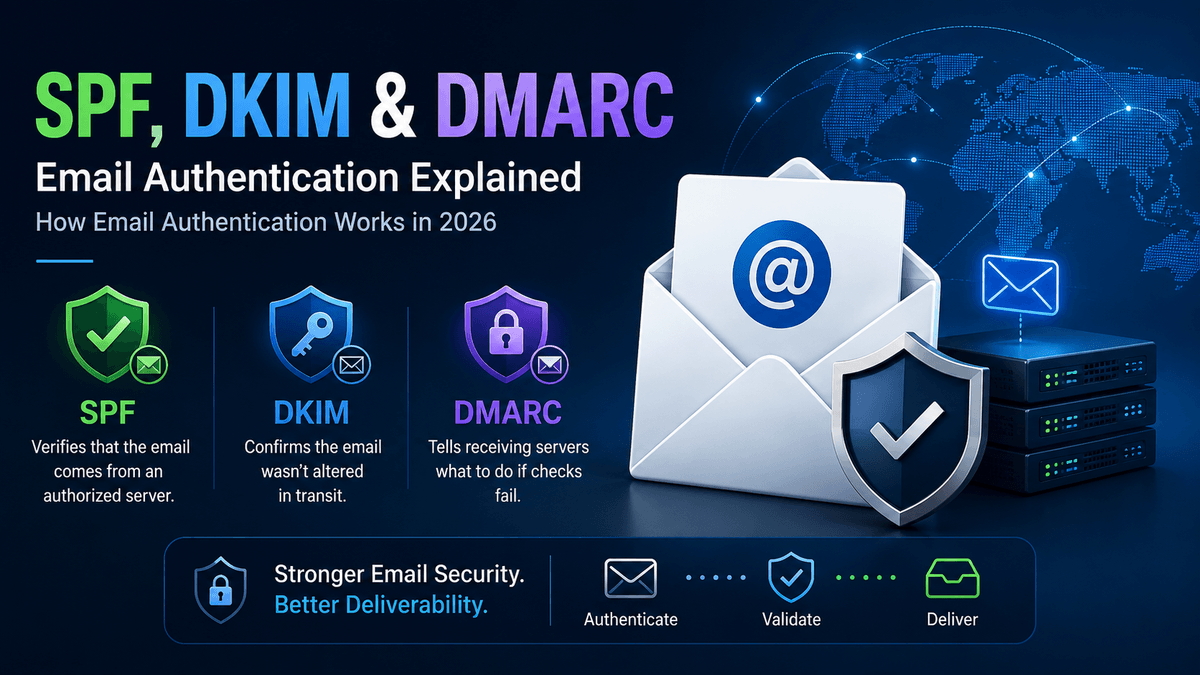
જો તમે “Sender ID” search કરીને અહીં આવ્યા છો, તો પહેલા એક ઝડપી સુધારો: Sender ID એ SPF નથી. 2000 ના દાયકાના મધ્યભાગમાં Microsoft એ આગળ ધપાવેલું એક અલગ authentication scheme હતું, જે Purported Responsible Address (PRA) નામની check પર આધારિત હતું. એને ક્યારેય ખરેખર adoption ન મળ્યું અને IETF એ ક્યારનું એને “Historic” status માં મૂકી દીધું છે — એટલે કે એ હવે practically મૃત છે. આજે તમારા domain ને ખરેખર જે protect કરે છે એ એક અલગ, ત્રણ-ભાગનું system છે: SPF, DKIM અને DMARC, અને એની ઉપર bonus તરીકે BIMI. આ guide આ ચારેયને બરાબર સમજાવે છે, કારણ કે 2026 થી આ optional extras નથી રહ્યા — Gmail, Yahoo અને Microsoft હવે non-compliant mail સીધી જ reject કરે છે.
Email Authentication Optional રહેવાનું કેમ બંધ થયું
Gmail અને Yahoo એ February 2024 થી bulk senders માટે SPF, DKIM અને DMARC નું enforcement શરૂ કર્યું, અને 2025 ના અંત સુધીમાં આ enforcement વધુ કડક થઈ ગયું: non-compliant messages ને inbox સુધી પહોંચતા પહેલા જ permanent 5xx rejection મળે છે, spam-folder માં soft-fail નહીં. Microsoft એ પણ 2025 દરમ્યાન Outlook.com, Hotmail અને Live.com માટે એવી જ requirements લાગુ કરી. જો તમારું domain personal Gmail કે Yahoo accounts ને રોજ 5,000+ messages મોકલે છે, તો હવે લઘુત્તમ ધોરણ આ છે: valid SPF, valid DKIM, એક published DMARC policy, bulk mail પર one-click unsubscribe (RFC 8058), અને 0.3% થી ઓછો spam-complaint rate.
એ volume threshold થી નીચે પણ, unauthenticated mail default રીતે વધુને વધુ spam માં જાય છે — inbox providers sender ના size ને ધ્યાનમાં લીધા વગર authentication status ને core trust signal તરીકે વાપરે છે.
SPF — Sender Policy Framework
SPF (RFC 7208) એક જ સવાલનો જવાબ આપે છે: “શું આ server ને આ domain માટે mail મોકલવાની પરવાનગી છે?” તમે એક DNS TXT record publish કરો છો જેમાં તમારા domain તરીકે mail મોકલવા માટે authorized IP addresses અને third-party services (તમારો email host, તમારું CRM, તમારું marketing platform) ની યાદી હોય છે. Receiving server connecting IP ને એ યાદી સાથે check કરે છે.
મોટાભાગના domains અહીં ભૂલ કરે છે: SPF દરેક check માં વધુમાં વધુ 10 DNS lookups ની જ પરવાનગી આપે છે. તમારું email platform, તમારું helpdesk, તમારું marketing tool, તમારું invoicing system — આટલા include: statements ભેગા કરો, અને તમે ચૂપચાપ આ limit વટાવી જાઓ છો, અને પછી SPF બધા માટે fail થાય છે, legitimate mail સહિત. જ્યારે પણ કોઈ નવું sending tool ઉમેરો ત્યારે તમારો SPF record audit કરો, ફક્ત કંઈક તૂટે ત્યારે જ નહીં.
DKIM — DomainKeys Identified Mail
DKIM (RFC 6376) એક અલગ સવાલનો જવાબ આપે છે: “શું આ message transit માં બદલાયો હતો, અને શું એ ખરેખર ત્યાંથી જ આવ્યો છે જ્યાંથી એ કહે છે?” તમારો mail server દરેક outgoing message ને private key થી sign કરે છે; public key એક DNS TXT record માં, “selector” હેઠળ, રહે છે. Receiving server signature ને એ public key સામે verify કરે છે — જો message રસ્તામાં tamper થયો હોય, અથવા signature match ન થાય, તો DKIM fail થાય છે.
SPF થી અલગ, DKIM message ની સાથે જ travel કરે છે, એટલે simple forwarding માં એ વધુ સારી રીતે ટકે છે. સામાન્ય failure mode: teams પોતાના main mail server માટે DKIM set up કરે છે અને એમના વતી mail મોકલતા બીજા દરેક platform ને ભૂલી જાય છે — DKIM ને દરેક sending source પર, પોતાના selector સાથે, અલગ-અલગ configure કરવું પડે છે.
DMARC — Policy Layer જે આ બધાને એકસાથે બાંધે છે
ફક્ત SPF અને DKIM, human ખરેખર જે address જુએ છે એના spoofing ને રોકતા નથી. DMARC (RFC 7489) આ gap બંધ કરે છે: એને જરૂર છે કે SPF કે DKIM (આદર્શ રીતે બંને) pass થાય અને “aligned” હોય — એટલે કે એ visible From: address માં દેખાતા એ જ domain ને authenticate કરે, ફક્ત કોઈ technical envelope address ને નહીં જે recipient ક્યારેય જોતો નથી. DMARC receiving servers ને એ પણ કહે છે કે fail થતી mail નું શું કરવું: p=none (ફક્ત monitor), p=quarantine (spam માં મોકલો), અથવા p=reject (સીધું block કરો) — વત્તા aggregate reports ક્યાં મોકલવા (rua=) જેથી enforce કરતાં પહેલા તમે જોઈ શકો કે શું fail થઈ રહ્યું છે.
2026 નો એક ચિંતાજનક industry number: global DMARC adoption 50% ને પાર કરી ગયું છે, પણ એમાંના મોટાભાગના domains હજુ પણ p=none પર જ બેઠા છે — એ જોઈ રહ્યા છે, protect નથી કરી રહ્યા. જે DMARC record ક્યારેય monitoring થી આગળ graduate નથી થતો, એ spoofing ને બિલકુલ રોકતો નથી.
BIMI — બાકીનું બધું બરાબર કરવાનું ઈનામ
BIMI (Brand Indicators for Message Identification) એ છે જે inbox માં તમારા emails ની બાજુમાં તમારો verified logo મૂકે છે — પણ એ બાકીના ત્રણ પાછળ gated છે: કોઈ mailbox provider તમારો logo બતાવે એ પહેલા તમારે DMARC ને quarantine કે reject પર enforced રાખવું પડે, SPF અને DKIM બંને બરાબર aligned સાથે. Vendor data માં BIMI logos થી reported open-rate lift લગભગ 39% સુધી જાય છે — guaranteed નથી, પણ DMARC rollout ને p=none પર કાયમ માટે parked રાખવાને બદલે પૂરો કરવાનું એક real incentive છે.
સામાન્ય ભૂલો જે ચૂપચાપ Authentication તોડી નાખે છે
- SPF 10-lookup limit થી ઉપર — સામાન્ય રીતે એકઠા થયેલા third-party
include:entries ના કારણે, જેને કોઈ audit નથી કરતું. - Secondary senders પર DKIM ગેરહાજર — marketing platform કે support desk તમારા domain તરીકે mail મોકલે છે, પણ પોતાનો DKIM selector નથી.
- DMARC alignment mismatches — SPF/DKIM technically pass થાય છે, પણ visible From: address કરતાં અલગ domain સામે, એટલે DMARC તોય fail થાય છે.
p=noneમાંથી ક્યારેય બહાર ન નીકળવું — reports set up તો થાય છે, પણ પછી કોઈ એને review નથી કરતું કે enforcement તરફ નથી વધતું.- Subdomains ભૂલી જવા — પોતાની કોઈ policy ન ધરાવતો, spoofed
mail.yourdomain.comકેnews.yourdomain.comએક ખુલ્લો દરવાજો છે, જેને બંધ કરવા માટે જ DMARC ની subdomain policy (sp=) બનેલી છે.
આને બરાબર Set Up કરવું
- તમારા domain તરીકે mail મોકલતી દરેક service ની યાદી બનાવો — mail server, CRM, marketing tool, invoicing, helpdesk.
- એ બધાને cover કરતો એક જ SPF record publish કરો, 10 lookups ની અંદર રહીને.
- દરેક sending source પર, પોતાના selector સાથે, DKIM configure કરો — ફક્ત primary mail server પર જ નહીં.
rua=reporting ચાલુ રાખીનેp=noneપર એક DMARC record publish કરો — અને reports ને ખરેખર વાંચો.- Reports માં જે fail થતું દેખાય એને ઠીક કરો, પછી
p=quarantineપર graduate થાઓ, અને છેલ્લેp=rejectપર. - એકવાર DMARC enforced થઈ જાય, પછી જો inbox માં brand recognition તમારા માટે મહત્વનું હોય તો BIMI માટે apply કરો.
XgenPlus કેવી રીતે મદદ કરે છે
XgenPlus SPF, DKIM અને DMARC support ને bolt-on તરીકે નહીં, core administration તરીકે આપે છે — domain setup, selector management અને policy enforcement એ જ admin console થી થાય છે જે user અને mailbox management માટે વપરાય છે, 25+ વર્ષ ના email infrastructure અને 5 કરોડ+ mailboxes સાથે. જે organizations ને transport-level authentication કરતાં એક step આગળ જવું છે, એમના માટે XgenPlus S/MIME માટે એક in-house PKI/Certificate Authority પણ ચલાવે છે — message-level signing અને encryption, જ્યાં trust chain પર control તમારો પોતાનો હોય, વિદેશની કોઈ third party નો નહીં.
વારંવાર પુછાતા સવાલો
શું “Sender ID” એ SPF જેવી જ વસ્તુ છે?
ના. Sender ID એ 2000 ના દાયકાના મધ્યભાગમાં Microsoft એ આગળ ધપાવેલું એક અલગ authentication proposal હતું, જે Purported Responsible Address (PRA) check વાપરતું હતું. એને ક્યારેય ખરેખર adoption ન મળ્યું અને ત્યારથી IETF એ એને Historic તરીકે classify કરી દીધું છે. Modern email authentication SPF, DKIM અને DMARC પર ચાલે છે.
શું મારે SPF, DKIM અને DMARC ત્રણેય જોઈએ, કે એક પૂરતું છે?
ત્રણેય જોઈએ, કારણ કે એ દરેક અલગ-અલગ સવાલોના જવાબ આપે છે. SPF check કરે છે કે sending server authorized છે કે નહીં; DKIM check કરે છે કે message બદલાયો હતો કે નહીં અને origin ને cryptographically verify કરે છે; DMARC check કરે છે કે SPF/DKIM visible From: address સાથે align થાય છે કે નહીં, અને એ ન થાય ત્યારે શું થાય એ નક્કી કરે છે. એકલું કોઈ પણ એક એવો gap છોડી દે છે જે બાકીના બે બંધ કરે છે.
SPF set up હોવા છતાં Gmail મારી mail કેમ reject કરતું રહે છે?
સૌથી સામાન્ય કારણો: SPF નું 10-DNS-lookup limit વટાવી જવું (એટલે એ ચૂપચાપ fail થાય), એ ચોક્કસ message મોકલનાર platform પર DKIM નું ગેરહાજર હોવું, અથવા authenticated domain અને visible From: address વચ્ચે DMARC alignment mismatch. 2024-2025 થી, Gmail અને Yahoo પણ non-compliant bulk mail ને ફક્ત spam-folder માં નાખવાને બદલે hard-reject કરે છે.
DMARC નું “p=none” ખરેખર શેની સામે protect કરે છે?
એકલા એ, કંઈ નહીં — p=none ફક્ત monitor-only છે. એ એક જરૂરી પહેલું step છે (જેથી enforce કરતાં પહેલા તમે જોઈ શકો કે શું તૂટશે), પણ કાયમ માટે p=none પર parked રહેલો DMARC record spoofing ને બિલકુલ રોકતો નથી. Protection p=quarantine કે p=reject પર graduate થવાથી મળે છે.
BIMI (logo-in-inbox feature) મેળવતાં પહેલા મારે શું જોઈએ?
DMARC ને quarantine કે reject પર enforced (none પર નહીં) રાખવું પડે, SPF અને DKIM બંને તમારા domain સાથે બરાબર aligned હોવા જોઈએ, વત્તા એક certificate — Gmail, Yahoo અને Apple Mail પર broad support માટે Verified Mark Certificate (VMC, જેમાં registered trademark જોઈએ), અથવા ફક્ત Gmail support માટે Common Mark Certificate (CMC, જેમાં trademark જરૂરી નથી).
અંતિમ વિચારો
લગભગ બે વર્ષના ગાળામાં જ email authentication “હોય તો સારું” માંથી “deliver થવા માટે ફરજિયાત” બની ગયું. જો તમારું domain હજુ પણ વર્ષો પહેલા copy-paste કરેલા ગમે તે SPF record પર ચાલે છે, DKIM ફક્ત એક જ sending source પર છે, અને DMARC જે દિવસે બનાવ્યો હતો ત્યારથી p=none પર જ બેઠો છે — તો કોઈ provider ના enforcement update એ તમારા વતી, તમારી mail bounce કરીને, ઠીક કરી નાખે એ પહેલા આ ઠીક કરવા જેવું છે.
- XgenPlus ના email security & authentication controls જુઓ — SPF, DKIM, DMARC અને admin-level policy management.
- S/MIME સાથે વધુ આગળ જાઓ — message-level signing અને encryption માટે in-house PKI/CA.
- અમારી team સાથે વાત કરો તમારા current SPF/DKIM/DMARC setup ને audit કરવા વિશે.

