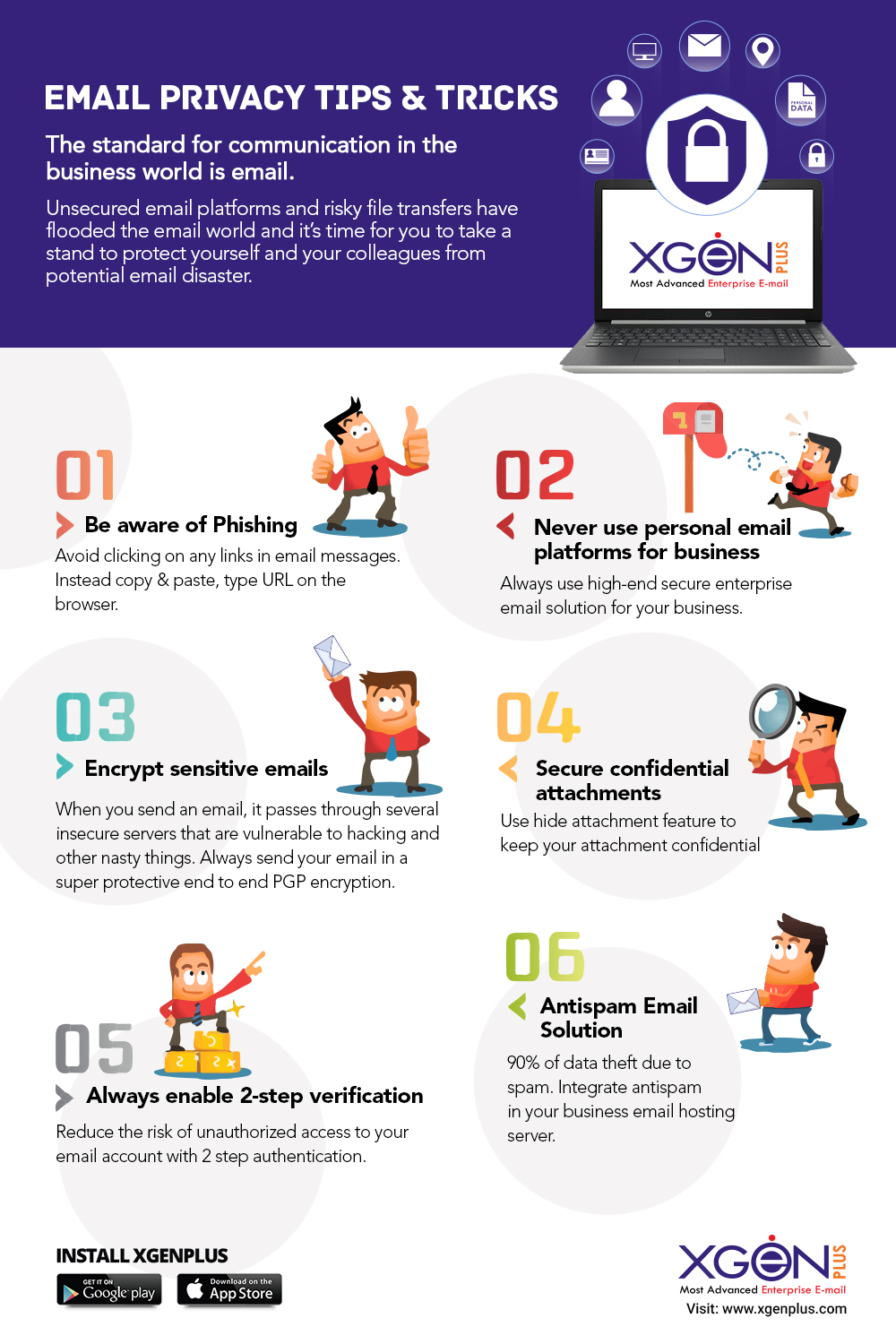
We published this infographic in 2017 and it is still one of the most-read pages on this site, mostly by people searching for email privacy tips for work. The six points on it have held up. What the picture could not carry is the reasoning behind each one and what the matching control looks like in a business mailbox, so here is the text version, updated for 2026.
1. Be aware of phishing
The infographic's advice was blunt: do not click links in email messages; copy the address or type it into the browser yourself. That is still the single most effective habit, because a phishing link looks exactly like a real one until you hover over it or read the destination. Add three checks to it. Read the sender's actual domain, not the display name, since a lookalike such as xgenp1us.com is designed to pass a glance. Treat urgency and secrecy as warning signs rather than reasons to hurry, especially when the request involves money, passwords or bank details. And when a message claims to come from a colleague or a vendor and asks for something unusual, confirm by phone on a number you already have. Our business email compromise post explains why the most expensive attacks contain no link or attachment at all.
2. Never use personal email platforms for business
Free consumer mail is fine for a newsletter subscription. It is a poor place for client contracts, invoices and staff records, for reasons that have nothing to do with the quality of the spam filter. Nobody in your organisation can see the account, reset it, or shut it off when the person leaves, so the data leaves with them. There is no audit trail if a client asks who read what. Deliverability suffers, because your business mail shares sending reputation with millions of strangers. And under India's DPDP Act you are accountable for personal data in those mailboxes whether or not you control them. Business email on your own domain, with an administrator who can enforce policy, is the fix; our DPDP compliant email guide covers what that policy needs to contain.
3. Encrypt sensitive emails
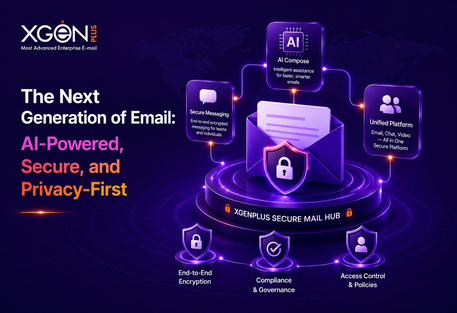
A message passes through several servers between sender and recipient. Transport encryption (TLS) protects it on each hop, and every serious provider enables it, but the message is readable on every server in between and in both mailboxes. For content that must stay private even from the mail administrator, the answer is end-to-end encryption. XgenPlus has PGP built into the mailbox: the user generates a key pair, the public key is shared within the organisation, and a message encrypted with it can only be opened with the recipient's private key and passphrase. It is stored encrypted in the sender's Sent folder as well. What is PGP and why does it matter walks through the model and where S/MIME fits instead.
4. Secure confidential attachments
Attachments are where the real secrets travel: the price list, the board deck, the salary sheet. Two habits help. Do not send the attachment and its password in the same message or the same channel; if the mailbox is compromised the attacker has both. And use the mailbox's own protection where it exists. XgenPlus offers a Hide Attachment feature that conceals the file inside an innocuous image and releases it only with a password, and a password-protected Secure Folder for storing confidential mail and documents inside the mailbox. The full list of controls is in Top 10 security features of the XgenPlus mail server.
5. Always enable 2-step verification
Passwords leak. They are guessed, reused from a breached site, or typed into a phishing page. Two-step verification means a stolen password on its own does not open the mailbox, because the login also needs a code from the user's phone or authenticator app. Turn it on for your own account today, and if you administer a domain, enforce it for everyone rather than leaving it optional, since the accounts that skip it are exactly the ones attackers find. Check the last-login and login-IP details your mailbox shows you now and then; an unfamiliar location is the earliest sign that a password has gone.
6. Stop spam at the server
The infographic put the share of data theft that starts with spam at 90 percent. Whatever the exact figure today, spam remains the delivery vehicle for most phishing pages and malware, so filtering it at the server rather than in each user's inbox matters. XgenPlus uses SpamJadoo, which checks the sending server's reputation against a dynamic database of known malicious IPs before the message is accepted, then applies further rules at server, domain and user level. Mail that fails is refused at the protocol level and never reaches a person who might click on it.
A short checklist for your team
- Hover before you click; type addresses yourself for anything involving money or passwords.
- Verify unusual requests by phone on a known number, never by replying.
- Business mail only on the business domain; no client data in personal accounts.
- Encrypt end to end when the content must stay private from everyone but the recipient.
- Passwords for attachments go through a different channel than the attachment.
- Two-step verification on, for everyone, enforced by the administrator.
- Review the login history in your mailbox once a month.
For the wider picture, read Secure email vs regular email and The ultimate guide to keeping your business emails secure.