Nov 28, 2023
The Evolution of Email and the Need for Innovation

In the world of online communication, email is an old yet important part. It keeps changing to keep up with the technological improvements. The future of email is tied to always-new ideas. People and businesses want faster communication, so they keep trying new things with emails.
Email Innovation:
- As we go into the future, it's easy to see how email will improve.
- New technologies like AI that can learn and think by themselves are changing the way we send messages. They promise to make emails smarter so they feel more personalized for you.
Efficiency in Email:
- The need for quick work in our busy schedule has made us want to simplify email processes.
- Tools that automate tasks and smart sorting methods are making email quicker and easier to manage.
Modernizing Email Communication:
- Fixing up email now isn't just about changing how it looks; it also needs changes in what the tool can do.
- Working together, managing tasks, and getting updates in real-time are now important parts of modern email systems.
Email Evolution:
- Starting with basic text messages, emails have evolved into a strong tool that can manage different types of content.
- The change keeps going, adjusting to the problems and chances given by the age of Artificial intelligence.
Email Solution companies need to stay ahead by accepting the future of email. This is where change and speed join together to rethink how we talk with each other using mail. As we go through the world of technology, the change in email shows how everyone wants simple and good communication.
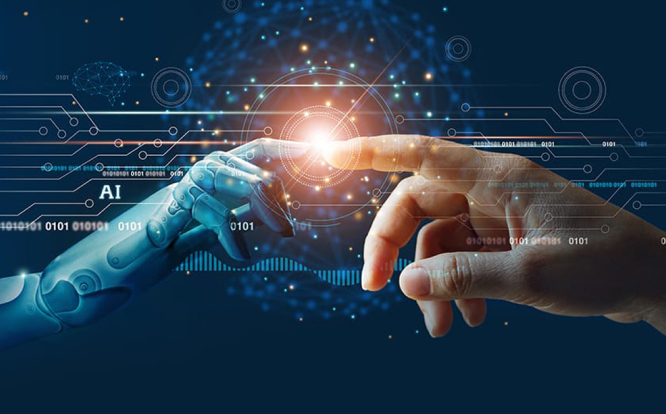
The Rise of AI-Powered Email Assistants for Streamlined Communication
In the changing world of online communication, AI-powered email helpers have brought a new time of speed and ease. AI-powered email technology is changing how we send emails.
As people and companies work harder, using AI in email becomes a smart decision. The growth of email helpers using artificial intelligence is a big change in how we use computers to talk. They save time and make answers quicker, while also making our emails feel more personal. As we use this new technology, the future of quick emailing will be run by AI.
AI-Powered Multilingual Emails:
Web login codes give strong protection that's better than old-style password problems. A special code is made and sent to the person's device, lowering the chances of anyone getting in without permission. This powerful login method improves safety from usual dangers.
Best AI Email Writer:
- Enhance email writing skills with the power of AI algorithms.
- Craft compelling and professional emails effortlessly.
Customizable Creative Tone:
- Tailor emails to different contexts and recipients.
- Choose from official, exciting, or friendly tones for a lasting impression.
Customized Default Prompts:
- Kickstart email composition with personalized default prompts.
- Save time and boost productivity with pre-defined suggestions.
Click here to harness the power of AI in your emails
Empowering Your Inbox Efficiency with Customized Email Delivery Options

Exploring and improving your email-sending options is important for a smooth mailbox practice. Let's explore the main things that help you manage email conversations better.
Delivery Report:
Make sure your messages get to the right place with certainty by using reports of delivery. This part tells you right away how your sent emails are doing. You can follow their journey from leaving your send box to reaching the person they're meant for in your inbox.
Reply Awaited:
Keep track of your letters by turning on the "Waiting for Reply" feature. This smart setting tells you when the person hasn't replied in a given time, helping you arrange follow-ups and use your time well.
Read Receipt:
Get rid of doubt with read confirmations, a helpful thing that tells you when your email was looked at. This understanding helps make talking clearer and assists in measuring how fast a reply is needed.
User Rights:
Give yourself the power to manage your emails in detail using settings for user rights.
Do not Reply:
Use the "Do not reply" setting to stop mistakes, and it's great for talking without getting a reply.
Do not Delete:
Stop accidental deletions and keep important data safe by using the "Do not Delete" option.
Do not Print:
Keep papers secret by limiting the ability to print with the "Do not Print" setting.
Do Not Forward:
Prevent the sharing of private information by turning off the "Do Not Forward" setting.
Including these email delivery settings helps save time and make emails more targeted. This puts the sender in control of how they communicate online through emails, making it more personalized for each person.

Xgenplus: Your Way to the Future of Email Usage
XgenPlus stands out as a trailblazer, offering a suite of cutting-edge features to revolutionize your communication experience. These are part of the new revolution happening with emails. Their computer-smart system has a set of tools that change how emails are handled, safety is met, and people work together. Xgenplus lets you sort and search emails smartly and share files securely for real-time editing. So, why wait? Go ahead and be a part of the email change. The future of email is good, and it's time to get involved.
Start on a journey of innovation and efficiency with XgenPlus, where the future of email is not just a concept but a tangible reality.