Top Video Conferencing Solutions and Virtual Meeting Platforms for Modern Conference Rooms

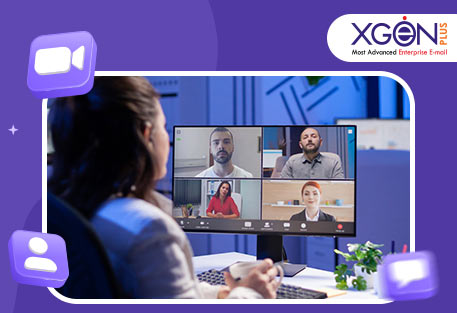
These days, the way we work has changed a lot. Your team might not even be in the same city anymore. Some may be working from home, some from different offices. That’s why having a good video conferencing solution is more important than ever. Whether it’s a casual catch-up or an important client meeting, a reliable virtual meeting platform helps your team talk, share ideas, and solve problems even from miles apart. If your company works remotely or in a hybrid model, you need the right setup to keep everything running smoothly.
What is a Video Conferencing Solution?
A video conferencing solution is like a virtual meeting room. It lets people join meetings with live video, clear audio, and tools to make teamwork easier. Gone are the old days of bulky machines and complicated setups. Now, joining a meeting is as simple as clicking a link on your phone or laptop.
Modern video meeting platforms include features like:
- Screen sharing
- Chat options
- Meeting recording
- Whiteboards for brainstorming
- Quick polls for feedback
These tools help your team stay connected and work better, no matter where they are.
Why Your Business Needs a Good Video Meeting Platform
Here's how a good video meeting platform can make a real difference:
1. Work From Anywhere
Your team can attend meetings from home, a café, or even while traveling. This flexibility means you can hire talent from anywhere and help your team enjoy a better work-life balance.
2. Save Time and Costs
Forget long travel hours and hotel stays. Online meetings save money and time. Your team spends more time working and less time on the road. It's also a greener choice.
3. Make Meetings Engaging
These platforms are made for real interaction. With screen sharing, in-meeting chat, and tools like hand-raising, everyone gets a chance to take part. It makes meetings more lively and productive.
In short, a good platform helps your team work smarter and stay connected without added stress.
Key Features to Look for in Virtual Meeting Platforms
While comparing virtual meeting platforms, keep an eye out for these must-have features:
Screen Sharing & Recording
- Helps explain things clearly
- Record meetings for future use or training
- Useful for catching up or staying compliant
In-Meeting Chat & Breakout Rooms
- Chat without disturbing the speaker
- Divide into smaller groups for focused discussions
Security and Control Options
- End-to-end encryption for privacy
- Password protection for meetings
- Host controls like mute or remove
Easy Integration with Tools
- Connects with tools like Google Calendar, Slack, and Outlook
- Helps manage meetings and tasks in one place
These features improve teamwork and make meetings more productive.
How to Set Up Video Conferencing in Conference Rooms
Software is important, but hardware also plays a big role. Here's what you need to set up a great meeting room:
Pick the Right Equipment
- HD camera for clear video
- Good mic and speaker setup
- Use wide-angle or PTZ cameras, depending on room size
Match Setup with Room Size
- Small rooms (1–4 people): Basic webcam and mic work well
- Mid-sized rooms (5–10 people): Use external mics and bigger screens
- Large rooms (10+ people): Go for ceiling mics, PTZ cameras, and large displays
Make It Easy for Everyone
- One-touch start for meetings
- User-friendly touchscreen controls
- Systems that auto-update
When rooms are easy to use, more people will use them, and your tech team will have less to fix.
Best Video Conferencing Solutions in 2025
Here are some of the top conference room solutions used by Indian businesses and global teams:
XgenPlus VideoMeet
- High‑quality HD video & audio
- Cross-platform support
- Screen sharing & multi‑screen sharing
- Real‑time chat
- Event management
Zoom Rooms
- Easy to use
- Great whiteboard tools
- Syncs with calendars
- Ideal for startups and remote teams
Microsoft Teams Rooms
- Works best with Microsoft 365
- Smooth audio and video
- One-click content sharing
- Suited for large companies
Google Meet Hardware
- Seamless with Google Workspace
- Simple setup and use
- Perfect for small to mid-sized teams
Logitech Rally
- High-quality audio and video hardware
- Works with any video conferencing software
- Can be customized for any room size
Each of these solutions offers something different. Choose the one that matches your team's size, workflow, and tools.
The Future of Video Conferencing
Video conferencing systems for conference rooms are getting better every year. Here's what's coming:
Smarter AI Tools
- Notes and task summaries are made automatically
- Live translation
- Auto framing and noise suppression
Augmented and Virtual Reality
- Great for training and product demos
- Creates a real meeting feel even in virtual spaces
Better Experience for Remote Workers
- Smarter cameras that follow speakers
- Clear audio for all
- Equal experience, whether you're in the room or online
These upgrades are helping teams work better together, even when they're far apart.
Conclusion
Today, Xgenplus video conferencing solutions are a basic need for any business. They help teams talk, share, and solve problems together. With the right platform, your team becomes more flexible, efficient, and innovative.
Pick the platform that suits your team's needs. Equip your rooms with the right tools. And build a workplace where everyone can do their best, no matter where they're working from.
So, which video conferencing solution are you going to pick to take your meetings to the next level?
✅ Want to try it for yourself? Explore our Plans and Pricing to find one that fits your business.
📞 Need more info or a demo? Contact us today .
🌐 Visit our XgenPlus for more on XgenPlus features.