Introduction
As businesses modernize their communication infrastructure, email has become much more than a messaging tool. Organizations now depend on email for collaboration, customer communication, compliance, and day-to-day operations. As a result, email service migration has become a critical part of digital transformation strategies. Whether you're moving from an outdated on-premises server or switching providers, choosing the right approach can significantly impact productivity and security.
This email migration guide explains everything businesses need to know about migrating email in 2026. From understanding migration methods to implementing a secure email migration strategy, this guide will help you minimize downtime, protect critical data, and transition to a secure business email environment designed for future growth.
What Is Email Migration?
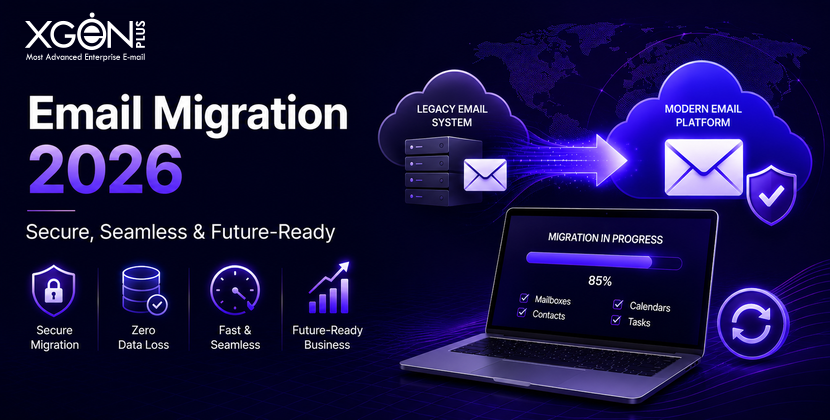
Email migration is the process of transferring email accounts, messages, contacts, calendars, archives, and configurations from one platform to another. Businesses often undertake email service migration projects when they outgrow existing systems, need stronger security, want better scalability, or require enhanced compliance capabilities.
A successful migration goes beyond simply moving mailboxes. It involves careful planning, data validation, security configuration, and user adoption. In 2026, businesses are increasingly using migration projects as an opportunity to modernize communication infrastructure and adopt a more privacy-focused email platform that aligns with evolving business requirements.
Why Businesses Are Migrating Email in 2026
1. Cybersecurity Threats Continue to Increase
Email remains the most common entry point for cyberattacks. Phishing campaigns, ransomware attacks, and Business Email Compromise (BEC) incidents continue to target organizations of all sizes. Older email systems often lack modern security controls, leaving businesses vulnerable to account compromise and data breaches.
To address these risks, organizations are moving to a secure business email platform that offers stronger protection mechanisms and advanced threat detection capabilities.
Businesses increasingly look for:
- Multi-factor authentication (MFA)
- Advanced threat protection
- Email authentication protocols
- Intelligent spam filtering
- Access control policies
2. Hybrid Work Requires Modern Email Infrastructure
The modern workforce expects secure access to email from anywhere. Employees use multiple devices and frequently work across different locations, making flexibility a critical requirement. Legacy email systems often struggle to provide the reliability and accessibility needed in today's work environment.
Modern email platforms support seamless communication, real-time synchronization, and secure remote access. This enables businesses to maintain productivity while ensuring employees can collaborate effectively regardless of location.
3. Compliance and Data Governance Requirements Are Growing
Regulatory requirements continue to evolve across industries. Organizations must demonstrate how they manage, store, and protect business communications. For many businesses, compliance is now one of the primary drivers behind email migration decisions.
Many organizations are specifically searching for data sovereignty email solutions that provide greater control over where business data is stored and processed. This is especially important for businesses operating in regulated sectors or regions with strict privacy requirements.
4. Businesses Need Better Reliability
Email downtime can disrupt internal operations, delay customer communications, and impact revenue. As businesses become more dependent on digital communication, reliability has become a top priority when evaluating email platforms.
Modern cloud-based email environments offer high availability, automated backups, and disaster recovery capabilities that help ensure uninterrupted business operations.
5. AI-Powered Productivity Is Driving Change
In 2026, AI is transforming workplace productivity. Businesses are increasingly using AI-powered tools for email summarization, workflow automation, smart replies, and scheduling assistance. Many legacy platforms cannot effectively support these capabilities.
Organizations migrating today are often selecting platforms that can integrate with future technologies while maintaining strong security and compliance standards.
Types of Email Migration
Different organizations require different migration approaches. Understanding the available options helps businesses select the most appropriate strategy.
IMAP Migration
IMAP migration transfers mailbox data using the Internet Message Access Protocol. It is one of the most commonly used methods for straightforward email migrations between hosting providers. While effective for transferring emails and folders, it may not move calendars, contacts, or advanced settings.
Best for:
- Small businesses
- Simple email environments
Advantages:
- Easy to implement
- Cost-effective
- Minimal infrastructure requirements
Limitations:
- May not transfer calendars, contacts, or advanced settings
- Limited functionality for larger organizations
Cutover Migration
A cutover migration moves all users and mailboxes simultaneously. This approach is typically used by smaller organizations that want to complete the migration quickly and efficiently.
Best for:
- Small organizations
- Limited mailbox volumes
Advantages:
- Fast implementation
- Simplified project management
Limitations:
- Higher risk of disruption
- Requires extensive preparation
Staged Migration
Staged migration allows businesses to move users in batches over time. This approach reduces risk and provides opportunities to identify and resolve issues before the entire organization is migrated.
Best for:
- Medium-sized businesses
- Organizations seeking minimal disruption
Advantages:
- Reduced risk
- Easier troubleshooting
- Better user adoption
Limitations:
- Longer migration timeline
Hybrid Migration
Hybrid migration allows old and new environments to operate simultaneously during the transition period. This provides flexibility and minimizes operational disruption.
Best for:
- Large enterprises
- Complex IT environments
Advantages:
- Maximum flexibility
- Minimal operational disruption
Limitations:
- Greater complexity
- Additional management requirements
Email Migration Checklist
Before beginning your migration project, make sure the following tasks are completed:
✓ Audit existing mailboxes
✓ Review storage requirements
✓ Identify inactive accounts
✓ Back up all critical email data
✓ Document distribution lists and shared mailboxes
✓ Review compliance obligations
✓ Verify DNS records
✓ Configure security policies
✓ Inform users about migration timelines
✓ Conduct pilot testing
Completing this checklist helps ensure a smoother and more secure email migration process.
Step-by-Step Email Migration Process
Step 1: Assess Your Current Email Environment
Begin by evaluating your existing infrastructure. Review the number of users, mailbox sizes, compliance requirements, and integrations that depend on email services. Understanding your environment helps determine the scope of the project and identify potential migration challenges before they impact operations.
Step 2: Choose the Right Email Platform
Selecting the right platform is one of the most important decisions during any email service migration project. Businesses should evaluate security, reliability, scalability, and compliance capabilities before making a decision.
Many organizations now prioritize a privacy-focused email platform that offers greater transparency, stronger data protection, and enhanced control over business communications.
Step 3: Clean Up Existing Data
Migrating unnecessary information increases costs and complexity. Before migration begins, remove inactive accounts, archive outdated content, and update distribution lists. A cleaner environment improves efficiency and helps reduce migration timelines.
Step 4: Back Up Critical Information
Creating a complete backup is essential before any migration project. Backups provide a safety net and help prevent permanent data loss if unexpected issues occur during the migration process.
Protect:
- Mailboxes
- Contacts
- Calendars
- Shared folders
- Email archives
Step 5: Configure Security Before Migration
Security should be established before users begin accessing the new environment. Implementing security controls early helps reduce risk and ensures a smoother transition.
Configure:
- SPF records
- DKIM authentication
- DMARC policies
- Multi-factor authentication
- Access controls
These measures form the foundation of a successful secure email migration strategy.
Step 6: Run a Pilot Migration
Testing with a small group of users allows businesses to identify compatibility issues, performance concerns, and user experience challenges. A pilot migration provides valuable insights and reduces the likelihood of widespread disruption during deployment.
Step 7: Execute the Full Migration
Once testing is complete, begin migrating users according to the selected migration strategy. Schedule migrations during low-activity periods and maintain regular communication with employees to ensure expectations are managed effectively.
Step 8: Validate and Monitor
After migration, verify that emails, contacts, calendars, permissions, and shared resources have transferred successfully. Monitoring performance and security metrics helps ensure the new environment remains stable and reliable.
Common Email Migration Challenges
Even well-planned migrations can encounter obstacles. Understanding potential challenges helps businesses prepare proactively.
Data Loss
Incomplete migrations can result in missing emails, attachments, or user data. Maintaining backups and validating migrated content helps minimize this risk.
Downtime
Unexpected interruptions can impact productivity and customer communication. Businesses can reduce downtime by adopting staged or hybrid migration strategies.
Deliverability Issues
Incorrect DNS configurations can affect email delivery. Reviewing MX, SPF, DKIM, and DMARC records before deployment helps maintain deliverability.
User Resistance
Employees may need time to adapt to new systems. Providing training and ongoing support helps improve adoption and reduce support requests.
Why Security Should Be a Priority During Email Migration
A successful migration should strengthen an organization's security posture, not simply move data from one system to another. Businesses should use migration as an opportunity to implement stronger authentication, better access controls, and advanced threat protection.
Organizations that prioritize secure business email solutions gain stronger protection against phishing attacks, account compromise, and unauthorized access. Businesses with strict compliance requirements should also evaluate data sovereignty email capabilities to ensure communication data remains under appropriate jurisdictional control.
How XgenPlus Supports Business Email Migration
A successful email migration guide is only valuable when paired with the right technology partner. XgenPlus helps organizations simplify email service migration through secure onboarding, expert support, and enterprise-grade communication infrastructure.
As a secure business email solution and privacy-focused email platform, XgenPlus enables organizations to strengthen security, improve operational reliability, and maintain greater control over business communications. For businesses prioritizing compliance and data sovereignty email requirements, XgenPlus offers a modern approach to secure communication and long-term scalability.
Conclusion
This email migration guide demonstrates that email migration in 2026 is no longer simply an IT project, it is a strategic business initiative. Organizations are migrating to improve security, support hybrid work, strengthen compliance, and prepare for future technologies.
By following a structured migration process, implementing secure email migration best practices, and selecting a secure business email platform that supports privacy and data sovereignty email requirements, businesses can create a resilient communication environment that supports growth for years to come.
Migrating off a specific server? We have written up the fixed-scope process for the two we see most: migrating off Zimbra (unpatched or end-of-life installations) and migrating off Exchange Server or Microsoft 365 with Outlook kept on every desk. Both cover the audit, the parallel run and the cut-over, and what the migration costs.